WordPress Official Plugin Integration
Embed Ringbot's AI chat assistant onto your WordPress website using the official plugin. Deploy in less than 3 minutes with absolutely no coding required.
Find us on WordPress.org
Get the official, security-audited Ringbot AI Chat plugin directly from the official WordPress plugin directory.
Step-by-Step Installation
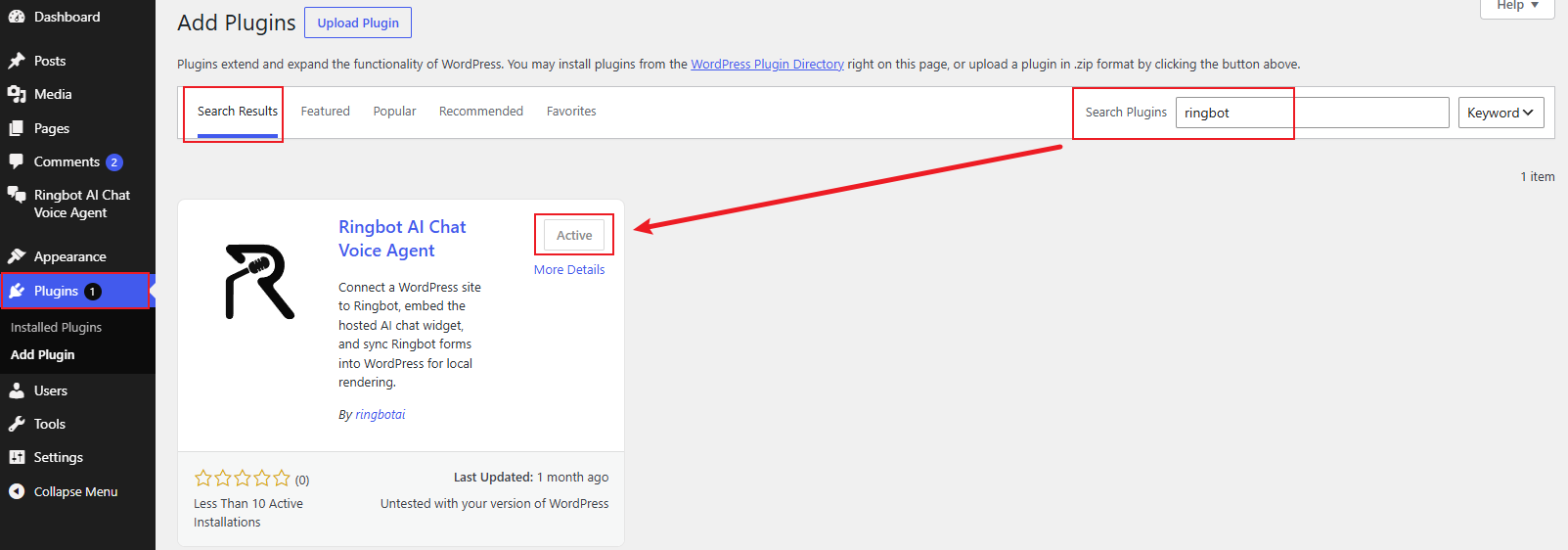
Install & Activate Official Plugin
Navigate to your WordPress dashboard, go to 'Plugins' -> 'Add New', search for 'ringbot', install and activate the 'Ringbot AI Chat' plugin.
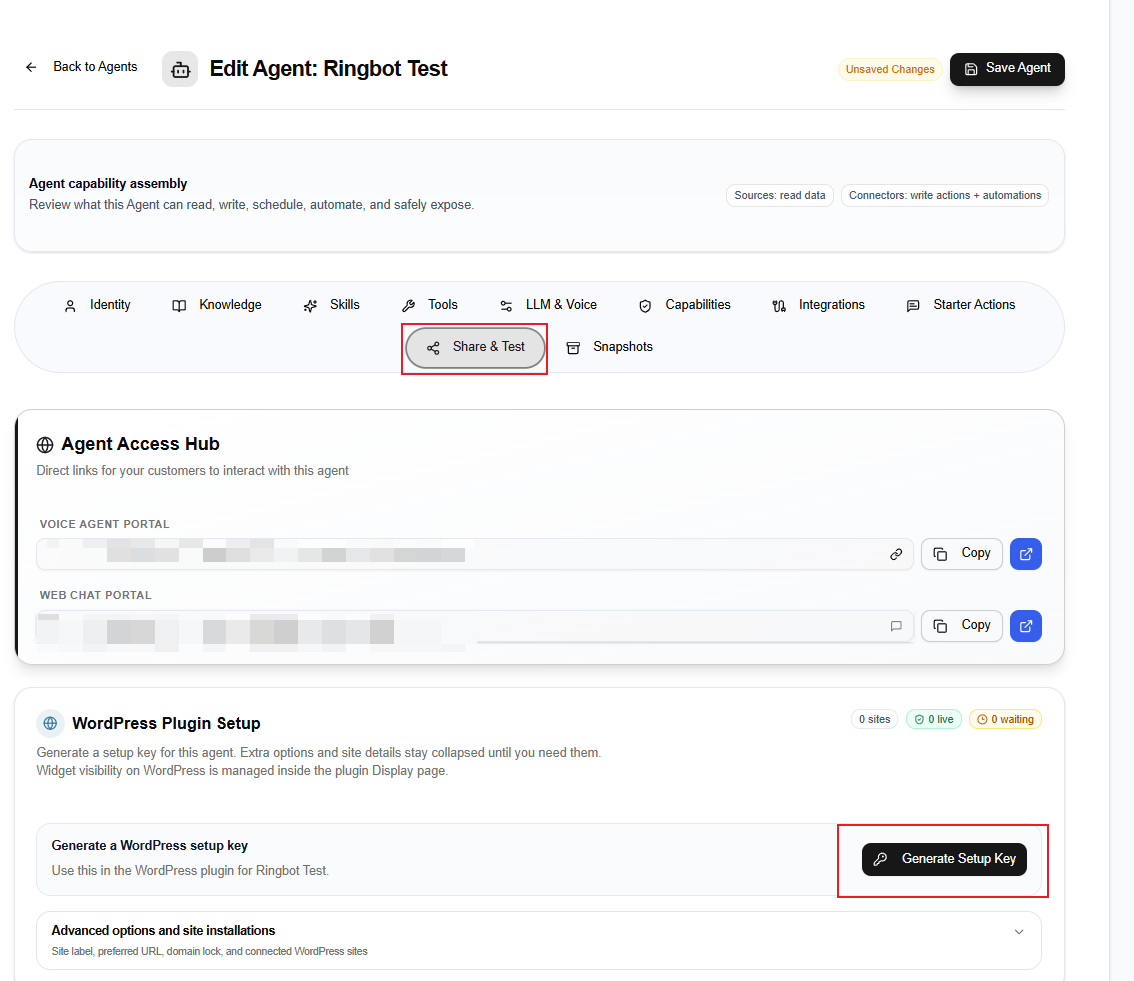
Generate and Copy API Key from Ringbot
Log in to your Ringbot dashboard. Navigate to your Agent settings, find your API key under integration settings, and copy it to your clipboard.
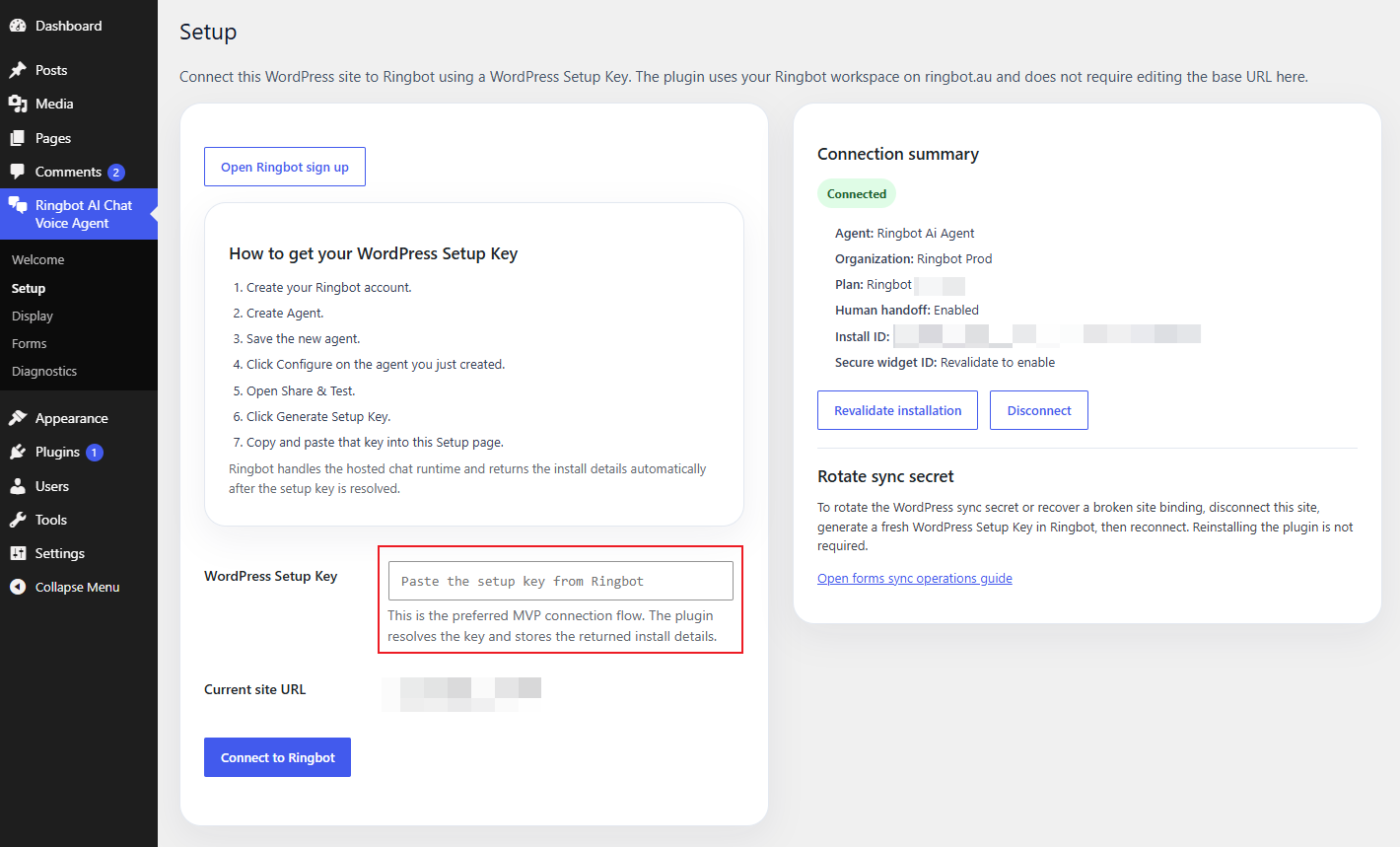
Paste API Key & Save
Return to WordPress, click on the 'Ringbot settings' menu from the sidebar, paste your API key, and click 'Save Changes' to make your AI chat assistant live.
Why use the Official Plugin?
- •Zero Coding: No need to edit template files or embed custom scripts manually.
- •Secure: Safe API key authentication, validated by WordPress.org standards.
- •Auto Updates: Get bug fixes and feature updates directly in your WordPress plugins panel.
Under the Hood
- •Asynchronous Loading: The chat script loads in the background without affecting your page speed.
- •SEO Friendly: Clean integration that won't trigger render-blocking resources.
- •Responsive Design: Widget layout naturally adapts to smartphones, tablets, and desktops.
Empower Your Site with AI Conversations
Ready to provide 24/7 instant customer support? Get started with our official plugin now.